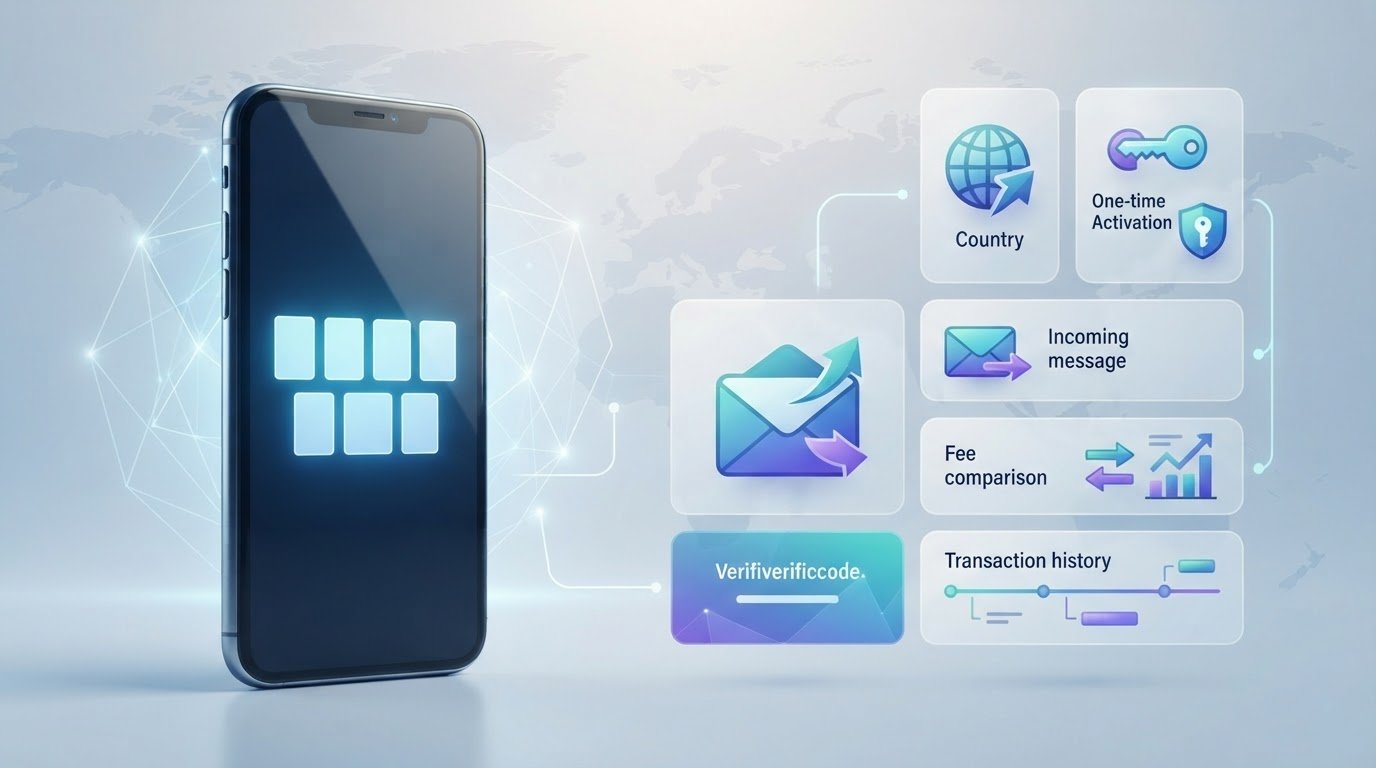
A verification code is usually a one-task need, not a reason to rent a number indefinitely. A pay-as-you-go sms verification service lets you pay for one activation, while a longer-term rental provides access to a number during a rental period. That difference affects the fee, how long you can receive messages, and whether you can use the number for later codes.
It’s easy to confuse these options. “Pay-as-you-go” can also describe business tools that send verification codes to customers. Those work differently from services that let you receive a code for another app or website. Free public inboxes may seem simpler, but messages can be visible to other users, and the service you’re signing up for may reject a shared or temporary number. No temporary number is guaranteed to work everywhere.
This guide explains the single-activation process, what affects the displayed fee, and when a one-time number makes more sense than a public inbox or longer rental. You’ll learn how to compare country and service choices, understand privacy trade-offs, and decide whether SMS fits your account’s verification needs. Review the limits before you start, then choose the option that matches your task and future access needs.
Key Takeaways
- Use a pay-as-you-go sms verification service for one code tied to a selected service, not ongoing number access.
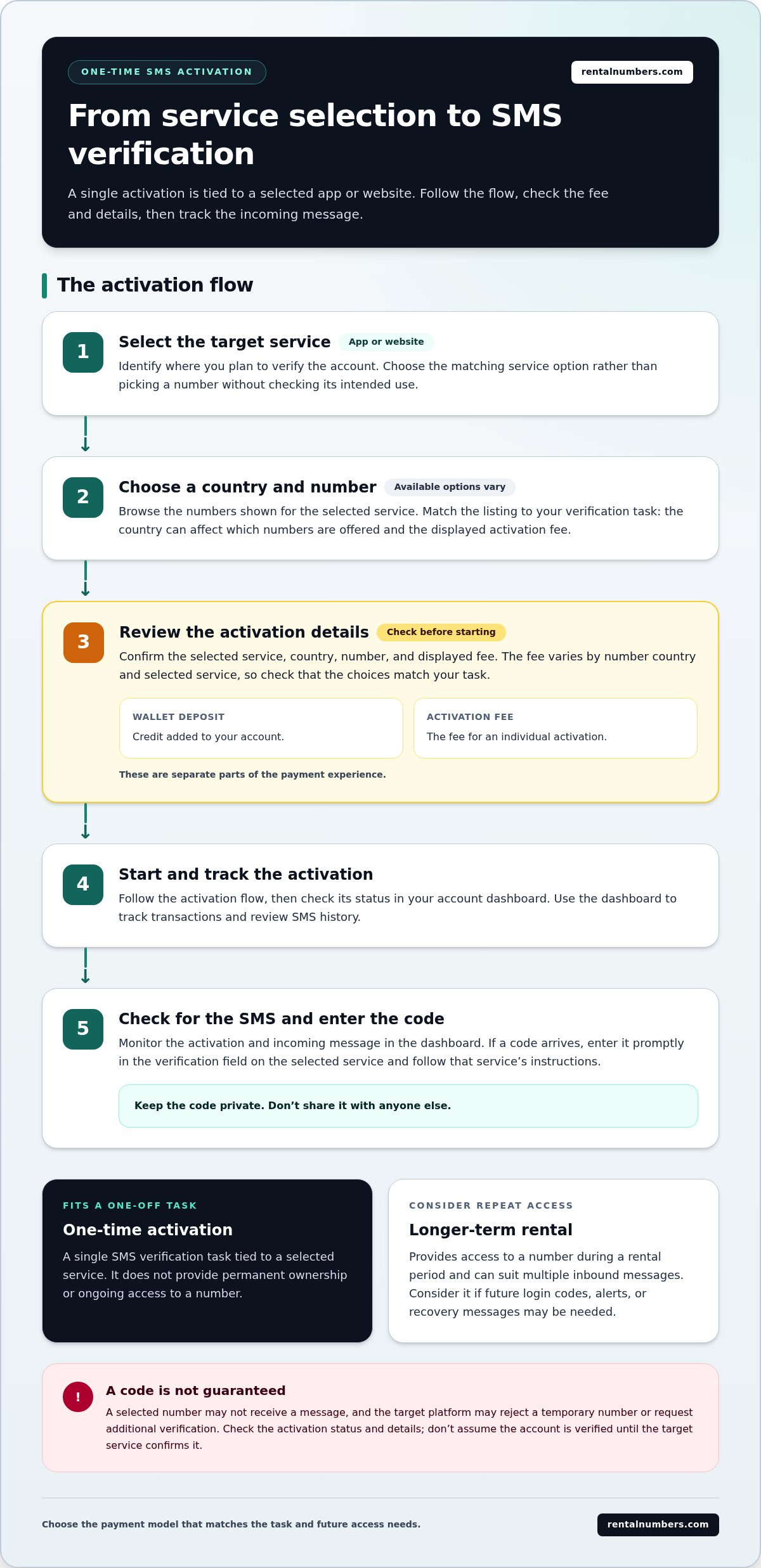
- Follow the activation flow: choose a service and country, review the fee, then track the activation and incoming SMS.
- Compare one-time activations, public inboxes, and longer rentals by duration, message privacy, and need for repeat codes.
- Check the service selection and displayed fee before proceeding. The fee varies by number country and selected service.
- Use the dashboard to review SMS history and track transactions, and distinguish wallet deposits from per-activation fees.
What Is a Pay-As-You-Go SMS Verification Service?
A pay-as-you-go sms verification service lets you pay for one SMS activation tied to a selected service, rather than for ongoing access to a number. An activation is a task-specific way to receive a verification SMS: select the app or website, then use the activation to receive its code. It doesn’t give you permanent ownership of a phone number.
The code is often a one-time password (OTP), a temporary code used to confirm an action or identity. A temporary number lets you receive that message without providing your personal number. This can reduce the personal contact information you share, but it doesn’t guarantee anonymity. The platform may apply its own checks, reject temporary numbers, or request additional verification.
Keep the intended use in mind. Use temporary numbers only in ways that follow the target service’s terms. Don’t rely on a one-time activation to recover an account later or receive future security alerts. Those tasks may require continued access to the same number.
How a One-Time Activation Differs from a Number Rental
A one-time activation is for a single SMS verification task with a specific app or website. A longer-term number rental provides access to a number during a rental period and can suit multiple inbound messages. It isn’t permanent ownership. If you expect repeat codes, compare your needs with the access offered by a longer-term rental before choosing.
When Paying Per Activation Can Make Sense
Paying per activation can suit an occasional sign-up or another one-off verification task, provided the target service permits this type of number. You pay for a defined task instead of continued access you may not use. If the account could need another code, or you expect to verify it again, consider whether a rental better fits that need.
Use the number of expected messages as a practical decision point. If you only need a code to complete one sign-up, an activation may match the task. If you’ll need later login codes, account alerts, or recovery messages, a single activation may not provide the access those messages require. Think through the account’s future verification needs before proceeding.
Separate privacy from account security. Keeping your personal number out of a sign-up can limit one piece of information you provide. It doesn’t make the account anonymous, prevent the platform from identifying you through other details, or guarantee that a code will arrive. Treat the number as a receiving option for a specific verification task, not as a replacement for a long-term recovery method.
In short, choose the one-time option when the task is genuinely one-off. Choose continued access when repeat messages are part of the requirement. That distinction helps match the payment model to the account’s actual needs.
How Pay-As-You-Go SMS Verification Works, Step by Step
A pay-as-you-go SMS verification service connects one activation to a selected app or website. Choose the target service first, then match the number details to that task. The country and selected service affect the displayed activation fee, so review both before you start. Whether a code arrives and is accepted depends on the number and the target service.
Selecting a Country, Service, and Available Number
Browse available verification numbers by country and intended service. Match the listing to the app or website where you plan to verify an account. Before proceeding, confirm that the country, target service, and activation details are the ones you intended.
- Select the target service. Identify the app or website that will send the verification SMS. Choose its matching service option rather than selecting a number without checking the intended use.
- Choose a country and number. Review the choices shown for that service. Country can affect which numbers are offered and the displayed activation fee.
- Review the activation details. Confirm the selected service, country, number, and fee before starting. This is the point to catch a mismatch.
- Start the activation. Follow the activation flow and check its status in your account. Wallet credit deposits and the fee for an individual activation are separate parts of the payment experience.
- Check for the incoming SMS. Monitor the activation and SMS history through the account dashboard. If a code arrives, enter it promptly in the service requesting verification.
Receiving the Code and Tracking the Activation
The dashboard lets you review SMS history and track transactions. Use it to find the incoming message and follow the activation. A selected number may not receive a message, and the target platform may not accept every temporary number. Don’t treat an activation as successful until you’ve checked its status and completed verification on the target service.
After receiving the code, enter it in the verification field on the service you selected and follow that service’s on-screen instructions. Avoid sharing the code with anyone else. If it doesn’t arrive or the platform rejects it, review the activation status and details rather than assuming the account has been verified.
Review each selection before proceeding. To see the available one-time SMS activation options, start with the service and country you need, then assess the displayed details.
Pay-As-You-Go vs. Free Public Inboxes vs. Long-Term Rentals
These options differ in how you pay, how long access lasts, and who may see incoming messages. A pay-as-you-go sms verification service is designed around a selected activation. A public inbox is shared by design. A longer rental provides access during a rental period. Compare the trade-offs against the account’s privacy and repeat-message needs.
| Option | Payment model | Intended duration | Inbox privacy | Repeat messages |
|---|---|---|---|---|
| Paid single activation | Pay per selected activation | One verification task | Not a public shared inbox, but privacy isn’t guaranteed | Not intended for ongoing access |
| Free public inbox | No direct payment to use the public inbox | Temporary, based on the inbox service | Messages may be visible to other users | Access to later messages can’t be assumed |
| Long-term number rental | Pay for access during a rental period | Continued access during that period | Review the access and privacy model | Better suited to multiple inbound messages |
Paid Single Activations Versus Free Public SMS Numbers
A paid single activation is tied to one selected service and task. A free public number typically uses an inbox that other users can view, so a received code may not be private. Don’t enter sensitive information into a public inbox or assume that a temporary number prevents a platform from applying its own checks. Keep these temporary number privacy basics in mind when choosing a shared inbox.
One-Time Activations Versus Longer Number Rentals
Choose a one-time activation for an isolated verification task. If you expect multiple inbound messages over a period, consider a longer-term number rental instead. The key distinction is the access you need, not a claim that one option works for every account. Review the target service’s requirements and plan for recovery codes before selecting.
Quick guide: Use a single activation for one task, a public inbox only when its shared visibility is acceptable, and a longer rental when you need repeat messages during continued access.
Each model has limits. A free inbox may be convenient, but public visibility changes the privacy trade-off. A paid activation is tied to a selected task, but the target service may still reject the number. A rental can support continued access, but it may be unnecessary if you only need one code. Match the option to the account’s verification pattern, and don’t rely on temporary access for recovery unless you can receive future messages.
How to Evaluate a Pay-As-You-Go SMS Verification Service
Compare a pay-as-you-go sms verification service with the requirements of the account you’re verifying. Focus on four things: the service match, the displayed fee, privacy expectations, and access to your activation records. These checks help you make an informed choice before selecting a number and starting an activation.
Check Service Fit, Fee Details, and Privacy Expectations
Start with the target application. Match the selected number and service to the account you plan to verify. Review the country and activation details before proceeding. Fees vary according to the number country and selected service, so use the displayed fee for the option you’re considering rather than assuming all activations cost the same.
- Service fit: Confirm the selected service matches the app or website that will send the code.
- Fee visibility: Review the fee and activation details before starting. Make sure you understand which country and service the displayed fee applies to.
- Privacy: A temporary number can reduce the need to share your personal number. It doesn’t guarantee anonymity, prevent other forms of platform checks, or secure the account by itself.
- Account management: Check whether you can review activation history and transactions later. A dashboard that organizes SMS history and transactions can help you track what happened.
Think beyond the first code. If the account could require future verification or recovery messages, consider whether a single activation gives you the access you need. Choose based on the account’s likely use, not only the sign-up step.
Know the Limits Before You Start
The platform decides whether to accept a temporary or virtual number. It may reject one, request another verification method, or apply additional checks. A displayed option doesn’t guarantee that a code will arrive or that the platform will approve the account. Review the target platform’s rules before proceeding, and use verification only in ways that comply with those rules and applicable laws.
Use the number for a legitimate verification task. Don’t use a temporary number to evade platform restrictions, impersonate someone, or misrepresent your identity. If the platform requires a number you control for future account recovery, plan for that requirement before registering. A one-time verification method may not support later account access.
Before activating, pause for a final review: confirm the intended service, country, displayed fee, privacy expectations, and any repeat-message needs. If those details fit your use case, explore one-time SMS activation options and proceed with the matching activation.
Complete a One-Time Activation with RentalNumbers.com
Use the activation flow to match one number to one verification task. Browse available numbers, select the intended app or service, then review the country, number, and activation details before proceeding. The displayed fee varies according to the selected service and number country. Review those details so you know which activation you’re choosing.
- Browse numbers. Find available choices for the country and service you need.
- Select the verification service. Match the selection to the app or website that will send the SMS.
- Review the activation. Check the selected service, country, number, and displayed fee.
- Proceed and monitor status. Track the activation and review incoming SMS history in your account dashboard.
A temporary number may not be accepted by every platform, and SMS delivery isn’t guaranteed. Treat the activation as a way to receive an SMS for a specific task, not as ongoing access or a substitute for an account recovery method. Review the target platform’s requirements before you begin.
Fund and Manage Your Account
Wallet credit deposits and per-activation fees are separate parts of the payment experience. Wallet credit helps manage account funds; the activation fee applies to the specific number and service selected. Review wallet credit management and the displayed activation fee as part of your preparation. Use the dashboard’s transaction history to track account activity alongside SMS history.
Start with the Right Verification Task
Before proceeding, confirm the app you intend to verify and the country selected for its number. The service is for receiving SMS verification messages. It doesn’t provide outbound messaging or calling. Use it only in ways that comply with the target platform’s rules and applicable laws. If you need repeat messages, consider whether one activation fits the task.
Once the details match your intended use, browse available SMS verification numbers and select the option that fits your verification task. Review the activation details before proceeding, then use the dashboard to check status, messages, and transactions.
Make Your Next Verification Choice Deliberate
Before you verify, think beyond the sign-up screen. Consider how you’ll access the account if it asks for another code later, and choose a verification method that fits that longer-term need. A pay-as-you-go sms verification service can serve a defined task, but your account plan should also cover recovery and future access.
Keep the verification code private and follow the platform’s rules. If the account is important, set up an approved recovery method after registration so you’re not relying on a temporary number for future access. Planning ahead can help prevent avoidable account-access problems.
Ready to choose a number for a specific verification task? Browse available SMS verification numbers, review the options, and proceed with the one that matches your needs.
Frequently Asked Questions
How much does a pay-as-you-go SMS verification service cost?
The fee depends on the number’s country and the service you select. Review the displayed activation fee for your exact choice before proceeding, since fees can differ between options. Don’t assume a fee shown for one country or app applies to another. When comparing options, compare displayed fees for the same target service and confirm that each selection matches your verification task.
Can I use a pay-as-you-go number for any app or website?
No. Each platform sets its own verification requirements and may reject temporary or virtual numbers. Before selecting a number, review the target app’s account and verification rules. For example, a service may require a number it can use for future account recovery, not just initial registration. If the platform offers another approved verification method, consider whether it better fits the account you’re creating.
Is a pay-as-you-go SMS number private?
It can reduce the need to disclose your personal phone number, but it doesn’t guarantee anonymity. The platform you’re signing up for may collect other account details, and it can see the number used for verification. Treat verification codes as sensitive: enter them only in the intended app or website, and don’t share them with another person or service.
What happens if the verification code does not arrive?
First, check the activation status and SMS history in your account dashboard. Confirm that you selected the intended service and number, then check whether the app offers a resend option. A message may not arrive, and repeated requests may not resolve the issue. Don’t assume verification is complete until the target platform accepts the code and confirms the action.
Can I reuse a number after a one-time SMS activation?
Don’t count on it. A one-time activation is for a specific verification task, not ongoing access or permanent ownership of the number. It may not be available for a later code, even for the same account. If you expect another verification message, plan for that need before starting. Review the account’s recovery options so you’re not relying on access you may not have later.
When should I choose a long-term number rental instead?
Choose a rental when you expect to receive multiple inbound messages over a period, such as follow-up login codes or messages for more than one verification task. A one-time activation is a narrower fit for an isolated task. Before choosing, consider whether you’ll need the number for continued access or account recovery. Match the rental period to your expected use.